OCR Powered Scanner

Scan Documents
Instantly

0K+
Downloads
0
App Rating
0M+
Scans Made
PDF Scanner
Scan
OCR
Sign

Your Pocket Scanner,
Reimagined

A beautifully designed scanner app packed with professional tools that fits right in your pocket.

My Documents
Contract_2026.pdf
3 pages - 2.4 MB
Receipt_May.pdf
1 page - 0.8 MB
ID_Scan.pdf
1 page - 1.1 MB
Signed_Agreement.pdf
5 pages - 4.2 MB
  • Auto Edge Detection

    AI-powered edge detection automatically finds document boundaries and corrects perspective for perfect scans every time.

  • OCR Text Recognition

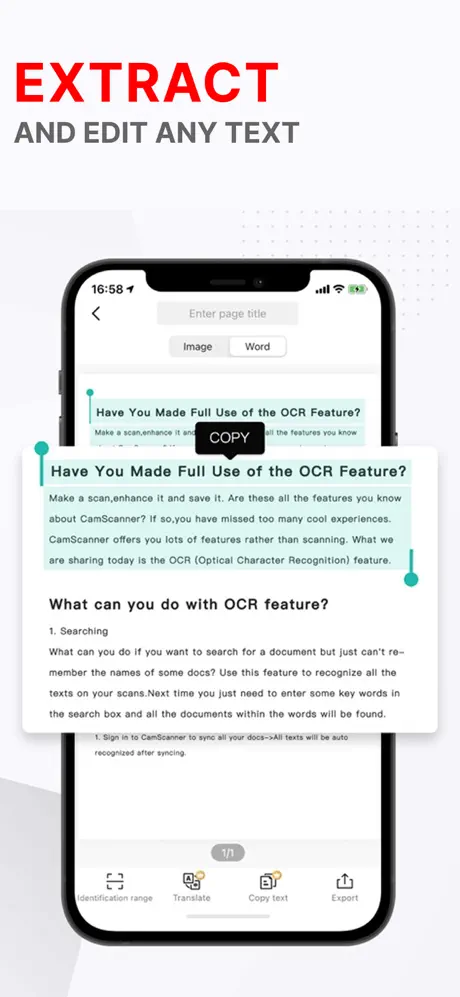
    Extract text from any scanned document with our advanced OCR engine. Supports 50+ languages with 99% accuracy.

  • Organize & Share

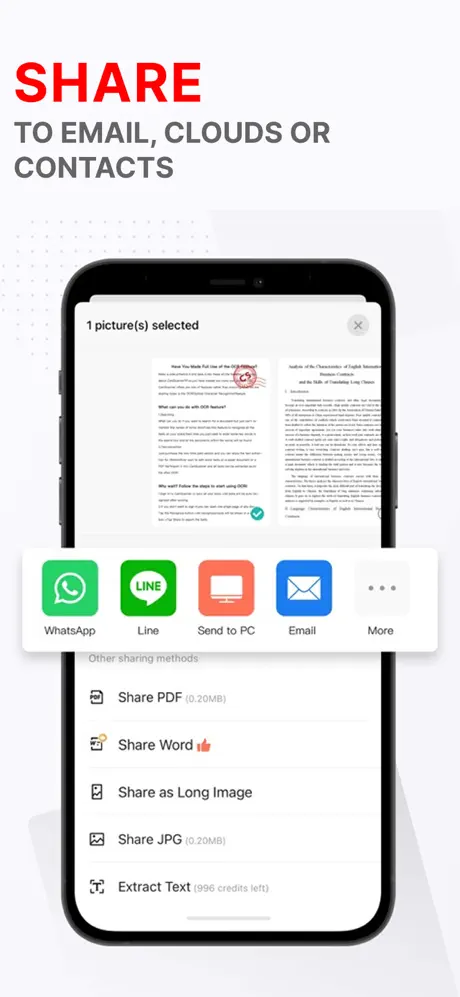
    Tag, folder, and organize all your scans. Share via email, cloud storage, or generate a shareable link instantly.

Scan to PDF Online

Try our web-based scanner right here. Upload an image and convert it to a crisp PDF document instantly.

Drag & Drop Your Image

or click to browse -- supports JPG, PNG, HEIC


Scanning Your Document...

Enhancing, detecting edges & generating PDF

Your PDF is Ready!

Download the app for full-quality exports, OCR, signing, and more.

Download Full App

Everything You Need
in One Scanner

Six powerful tools designed to replace your office scanner, fax machine, and filing cabinet.

Document Scanner

Point, shoot, done. Auto-detect edges, correct perspective, enhance contrast, and produce crystal-clear scans of any document in seconds.

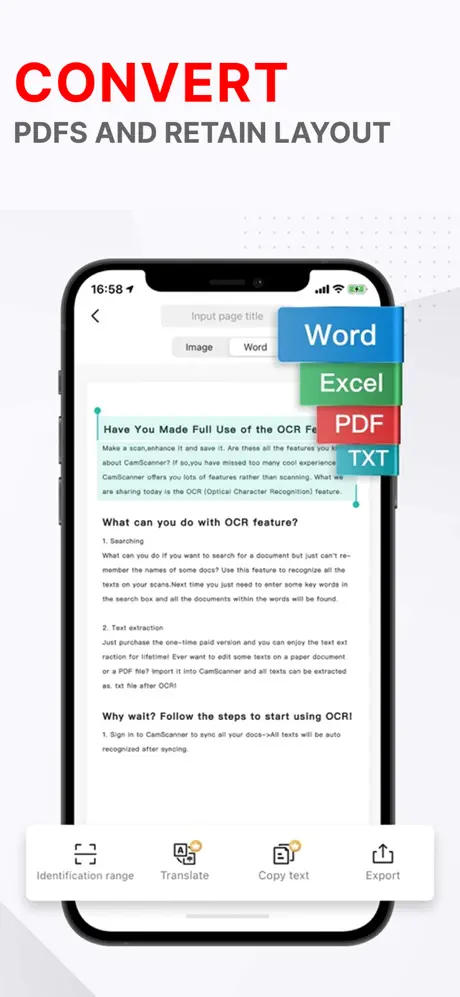
OCR Recognition

Advanced optical character recognition extracts text from scanned images. Copy, search, and edit text from any physical document.

PDF Editor

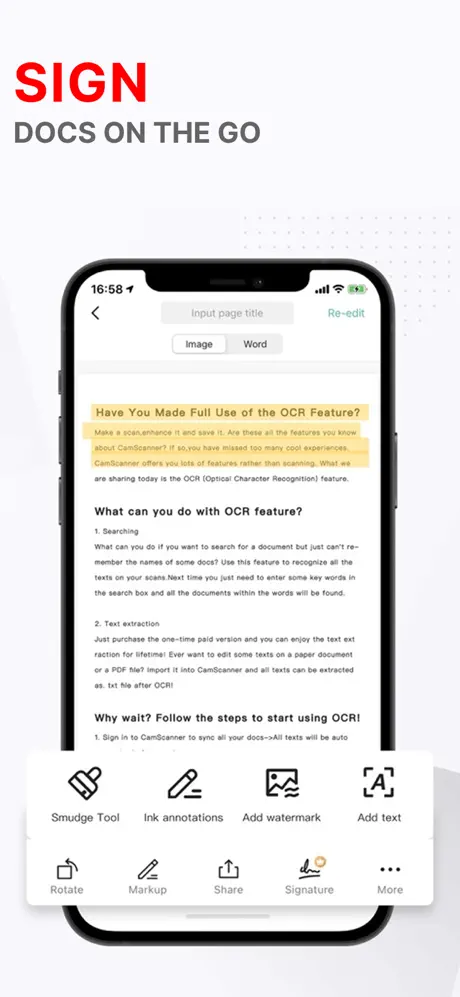
Annotate, highlight, merge, split, reorder pages, add watermarks, and fully customize your PDF documents with precision.

Sign Documents

Draw or upload your signature and place it on any document. Legally binding e-signatures ready to send in moments.

Fax Documents

Send faxes directly from your phone to any fax number worldwide. No fax machine required -- just scan and send.

Convert to Word

Transform scanned PDFs into fully editable Word documents. Preserve formatting, tables, and layout with AI-powered conversion.

Three Steps.
Zero Hassle.

From paper to polished PDF in under ten seconds.

1

Point & Capture

Open the app and aim your camera at any document. AI auto-detects edges instantly.

2

Enhance & Edit

Auto-enhance the scan, run OCR, crop, rotate, or add your signature and annotations.

3

Save & Share

Export as PDF, JPEG, or Word. Share via email, cloud storage, or fax worldwide.

Scan Anything,
Anywhere

From everyday receipts to critical business documents, PDF Scanner handles it all.

Receipts

Digitize receipts for expense tracking and tax returns

Contracts

Scan, sign, and send contracts from anywhere instantly

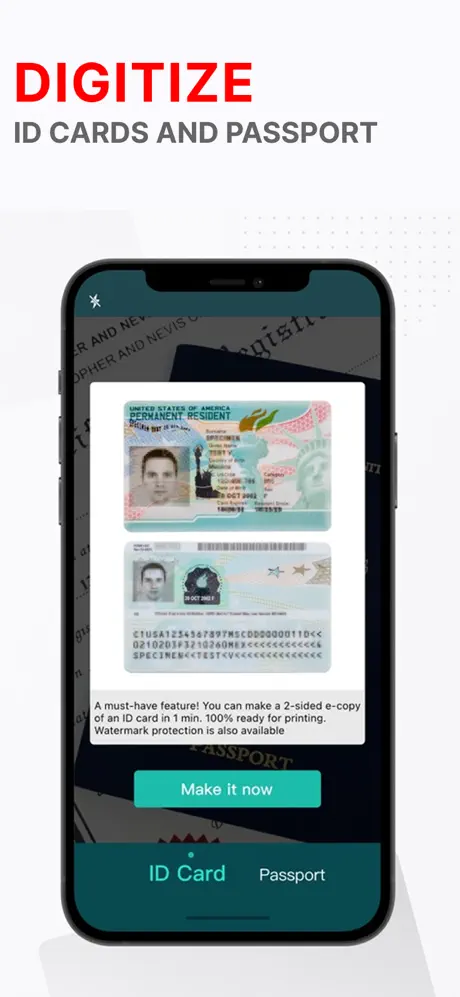
ID Documents

Securely scan passports, IDs, and licenses on device

Notes

Turn handwritten notes into searchable digital text

Business Cards

Scan cards and auto-extract contact information

Books

Scan book pages with OCR for study and reference

Invoices

Digitize invoices for bookkeeping and archival

Whiteboards

Capture whiteboard sessions with auto-enhancement

Loved by Thousands
of Users

See what our users are saying about PDF Scanner.

★★★★★

"This app completely replaced my office scanner. The OCR is incredibly accurate and I can scan multi-page contracts in seconds. Absolutely essential for my law practice."

JR
James R.
Attorney
★★★★★

"I scan all my receipts and invoices with this app. The auto-edge detection is near perfect, and exporting to my cloud storage is seamless. Saves me hours every week."

MP
Maria P.
Freelance Designer
★★★★★

"As a student, this is a lifesaver. I scan my professors' handouts and the OCR lets me search through them later. The convert-to-Word feature is perfect for study notes."

KL
Kevin L.
Graduate Student
★★★★★

"The fax feature alone is worth it. I run a small medical office and we fax documents daily. No more bulky fax machine -- just scan and send right from my iPhone."

SN
Dr. Sarah N.
Medical Practice Owner

App Screenshots

App Screenshot App Screenshot App Screenshot App Screenshot App Screenshot App Screenshot

Frequently Asked
Questions

Yes, PDF Scanner is free to download and use with core scanning features. Premium features like unlimited OCR, fax, advanced PDF editing, and ad-free experience are available through an optional subscription.
Our OCR engine delivers up to 99% accuracy on printed text in over 50 languages. It works best with clear, well-lit scans but performs remarkably well even on slightly skewed or low-contrast documents thanks to our AI enhancement pipeline.
Yes. Electronic signatures created in PDF Scanner are legally binding under the ESIGN Act and eIDAS regulation. You can draw your signature, upload an image, or type it. Each signed document includes a tamper-proof audit trail.
Absolutely. All scanning and OCR processing happens on-device. Your documents are never uploaded to our servers unless you explicitly choose to use cloud features. We use AES-256 encryption for any data in transit and at rest.
You can export scans as PDF, JPEG, PNG, or Word (DOCX). For imports, we support PDF, JPG, PNG, HEIC, TIFF, and BMP. Multi-page scanning creates a single PDF with all pages, and you can merge or split PDFs at any time.
PDF Scanner App Icon

Start Scanning
in Seconds

Join thousands of professionals who ditched their office scanner. Download PDF Scanner free on the App Store.

Download Free on App Store